We were running a sales campaign for a women's health supplement. Meta kept nudging us toward Advantage+ shopping (now called Advantage+ sales campaigns), so we followed the recommendation.
Here's what we got:
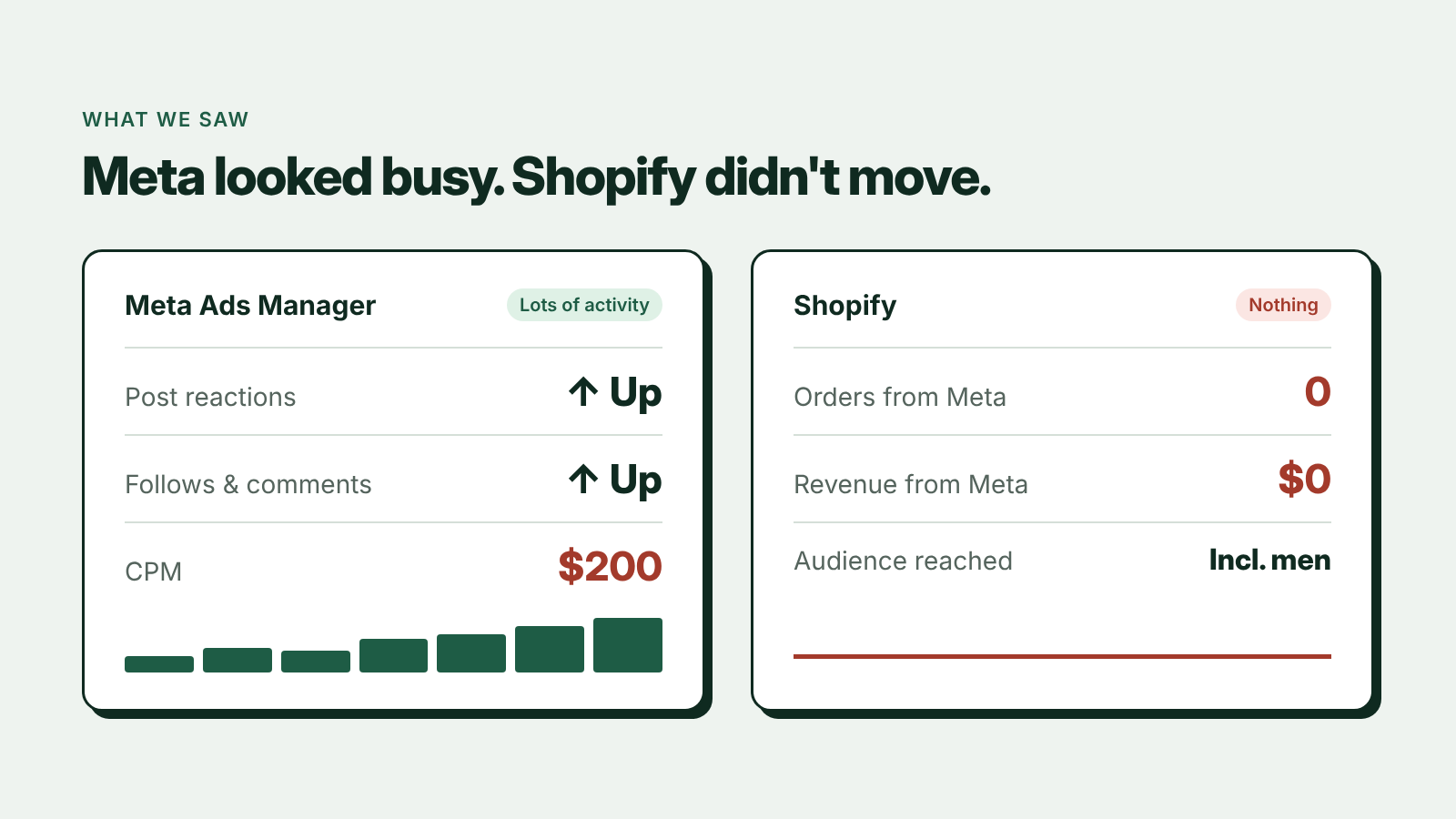
- A CPM stuck at $200
- Ads for a women's health product delivered to men
- A "sales" campaign that behaved like a boosted post: likes, follows, comments, zero purchases
Meta's dashboard looked busy. The Shopify dashboard didn't move.
The short answer
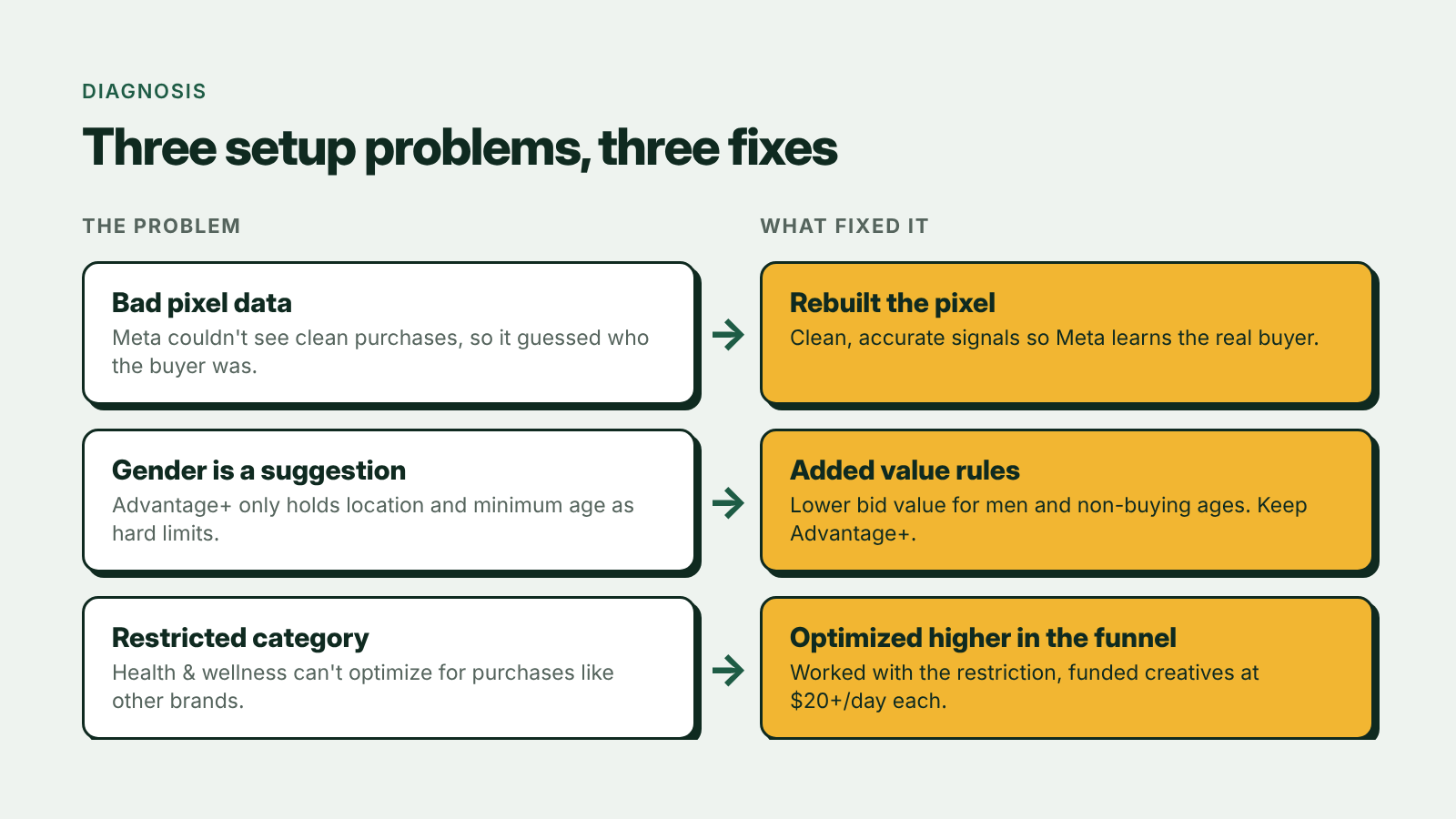
A $200 CPM on a campaign that collects likes instead of purchases is almost never a creative problem. It's a setup problem: bad tracking data, audience settings Meta treats as suggestions, and category rules that block the objective you picked. Fix those three and you don't need to spend your way out.
What people are calling "CPM jail"
We're not the only ones. Search "$200 CPM" on X and you'll find advertisers describing the same thing. Some say they had to burn through $4,000 just to escape what people are calling CPM jail.
$4,000 spent before you've learned anything isn't a testing budget. It's a ransom.
Most people would blame the creative and keep launching new ads. We didn't, because the creative wasn't the problem. If you want the general version of why CPMs climb, I cover the six usual causes in Why Is My Meta Ads CPM So High. This account had three of them stacked on top of each other.
What was actually going on
1. The pixel was feeding Meta bad data
If Meta can't see clean purchase signals, it can't learn who your buyer is. So it guesses, and it guesses wrong. Every downstream decision Meta makes, from who sees the ad to what it pays for the impression, runs on what the pixel and Conversions API report. That's also why a weak signal drags down your estimated action rate, and a lower estimated action rate means paying more for the same impression.
2. Advantage+ treats gender as a suggestion
In an Advantage+ audience, location and minimum age are the hard limits. Gender, maximum age and detailed targeting are inputs Meta can go beyond. Jon Loomer's Advantage+ audience guide lays out exactly which controls are hard and which are suggestions. If the algorithm decides men are cheaper to reach, that's where your budget goes, even for a women's health product.
3. Supplements play by different rules
Since early 2025, Meta has restricted health and wellness advertisers from optimizing for lower-funnel events like purchases and add to cart the way other categories can. Triple Whale has a good breakdown of the health and wellness restrictions and how they affect tracking. Forcing a sales objective on a restricted account gets you the cheapest engagement Meta can find, at a very expensive CPM.
What fixed it
Rebuilt the pixel from scratch
We didn't patch the old setup. We rebuilt it so Meta gets clean, accurate signals, with the events firing once, with the right values, and matched to the right people. If you're setting this up on Shopify, I walk through it in How Do I Connect Meta Ads to Shopify Using Claude?.
Kept Advantage+, but added value rules
Instead of fighting the algorithm, we told it what each audience is worth. Value rules let you raise or lower the bid value for segments like age, gender and location. We lowered it for people outside the target, like men and the age groups that don't buy, so Meta stops wasting budget there while it still finds new buyers.
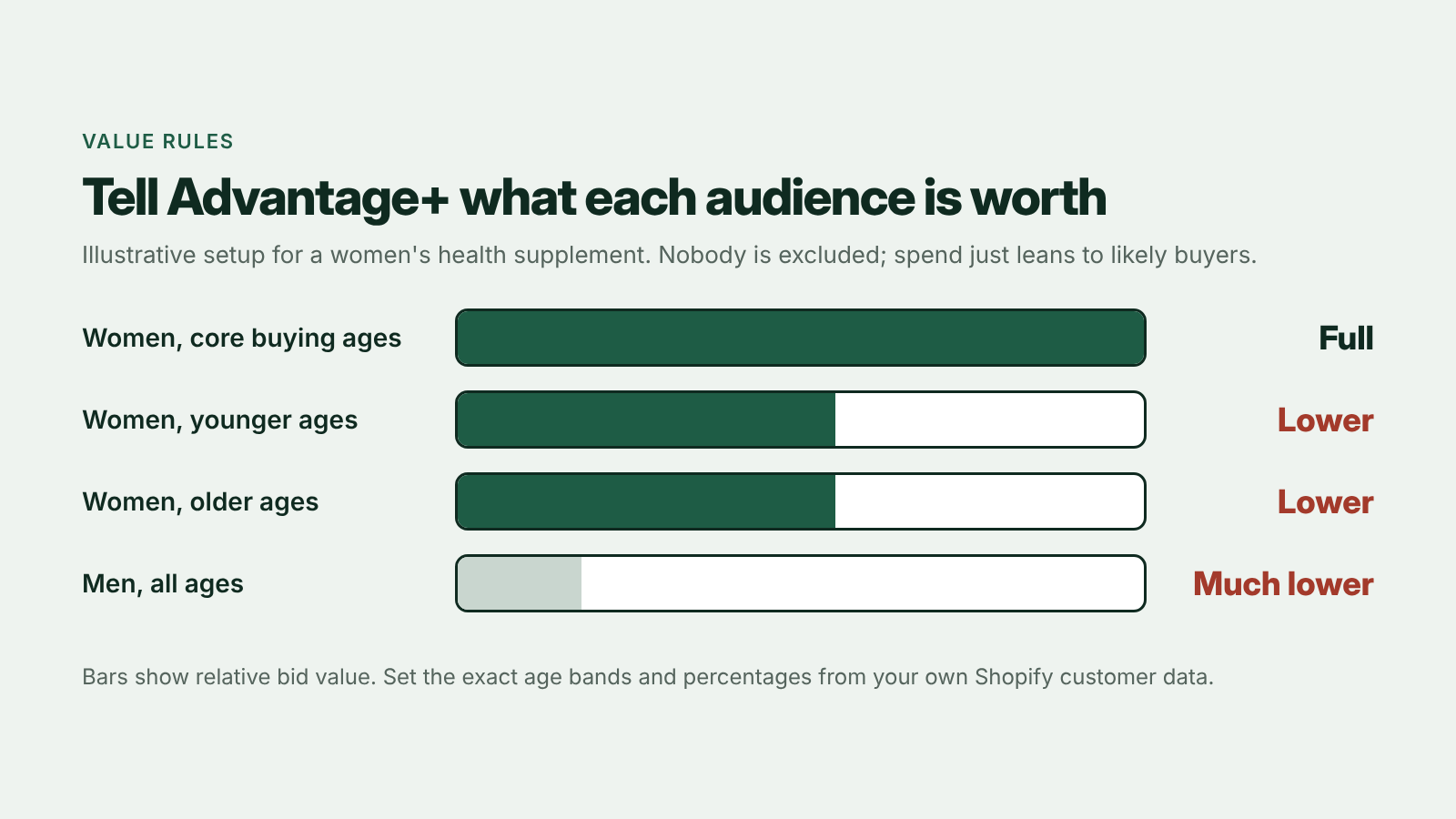
One caution: value rules can raise costs if you use them on a hunch. Set the bands from who actually buys in your Shopify data, not from who you think buys.
Funded every creative properly
At least $20 per creative, per day. Spread the budget too thin and no ad gets enough data to learn, so the algorithm falls back to cheap engagement. The rules I use for testing budgets are in The Meta Ads Testing Rules We Use, and how many campaigns and ad sets a budget can support is in Meta Ads Structure by Spend Level.
Rebuilt the campaign instead of patching the broken one
A campaign that has spent weeks learning the wrong buyer carries that history with it. Starting a clean campaign on the fixed pixel, with the value rules in place from day one, was faster than trying to retrain the old one. The structure we rebuild toward is in Meta Ads Campaign Structure in 2026.
Optimized for top of funnel
We worked with the supplement category restrictions instead of fighting them. That means optimizing for the events Meta allows, and making the landing page and creative do more of the work of turning that traffic into buyers. Copy matched to where the customer already is helps here too, which I cover in How to Lower CPM on Meta Ads.
What to check first on your account
- Your category status. In Events Manager, check whether your dataset shows a health and wellness restriction. If it does, a purchase-optimized campaign is working against you.
- Who you're actually reaching. Break down results by age and gender. If a meaningful share of spend is going to people who never buy from you, that's your value rules list.
- Your purchase events. Compare purchases reported in Ads Manager with orders in Shopify for the same days. A big gap in either direction means Meta is learning from bad data.
- Budget per creative. Divide daily budget by the number of live ads. Under about $20 each, most of them aren't getting enough data to learn.
- What the "sales" campaign is buying. If engagement is high and purchases are zero, Meta has found the cheapest result it can, not the one you wanted.
The lesson
When Meta's performance looks broken, the answer usually isn't another round of new ads. It's what's underneath the ads: the tracking, the setup, and the rules for your category.
That's marketing ops. Not the shiny part, but the part that makes the shiny part work. It's also how I run accounts for Shopify Meta ads clients.
CPMs that make no sense and a "sales" campaign collecting likes? Book a free 30-minute call and we'll look at your pixel and campaign setup together.
Book a call
In 30 minutes I'll look at your ad account, your pixel and your Shopify numbers and tell you what I'd fix first, whether or not we work together.